30 Oct 2026 · linux, shell, bash · 5 min
What is bash and why is it still everywhere
Bash is the command interpreter installed on almost every Linux box and on macOS. It reads a line, runs it, and returns the result. The reason it is still everywhere is simple: it is the system’s default shell, and most of the world’s installation, backup, and maintenance scripts were written for it.
What bash actually is
A shell does two things: reads commands and runs programs. Bash does that and a bit more. It has variables, loops, functions, arrays, and command substitution. Most of what you type in a terminal goes through it before it becomes execution.
The point that confuses beginners is thinking bash and sh are the same thing. They are not. sh is a specification (POSIX). Bash is an implementation that tries to be compatible but adds features of its own. When a script starts with #!/bin/sh, it promises to run in any POSIX shell. When it starts with #!/usr/bin/env bash, it assumes bash and can use everything bash offers.
Why it did not die
Three reasons. First, inertia: billions of lines of bash scripts already exist, and nobody is rewriting them. Second, bash is the default login shell on most Linux distributions, so the end user already has it. Third, it solves 95 percent of automation problems without needing a compiled language.
The cost of that ubiquity is portability. A bash script that uses arrays or [[ ]] will not run in dash, which is the sh of Debian and Ubuntu. That is the most common trap in installation scripts.
A minimal script that runs
The script below counts lines in .txt files in a directory. It has the three things a serious bash script needs: a shebang, set -euo pipefail, and quoted variables.
#!/usr/bin/env bash
# checar-arquivos.sh: count lines in .txt files in a directory
set -euo pipefail

DIR="${1:-.}"

if [[ ! -d "$DIR" ]]; then
    echo "directory does not exist: $DIR" >&2
    exit 1
fi

cd "$DIR"

mapfile -t arquivos < <(find . -maxdepth 1 -type f -name '*.txt' -print0 | xargs -0 -r printf '%s\n')

total=0
for f in "${arquivos[@]}"; do
    linhas=$(wc -l < "$f")
    total=$((total + linhas))
    printf '%s: %d lines\n' "$f" "$linhas"
done

printf 'total: %d lines in %d file(s)\n' "$total" "${#arquivos[@]}"
set -e aborts when a command fails. set -u aborts when an undefined variable is used. set -o pipefail makes a pipeline fail if any part fails, not just the last one. Together, the three prevent the worst shell bug: continuing after a silent error.
The three pitfalls this script avoids:
- Unquoted variable.
cd $DIRbreaks if the path has a space. Always"$DIR". cdthat fails silently. Withoutset -e, the script keeps running in the wrong directory. Withset -e, it stops.- Pipeline that hides an error.
grep foo file | wc -lreturns zero even if grep fails, unlesspipefailexists.
To run it: save as checar-arquivos.sh, make it executable with chmod +x checar-arquivos.sh, and call it with ./checar-arquivos.sh /path/to/folder. jq is handy for handling the output when the script feeds another system.
How to verify
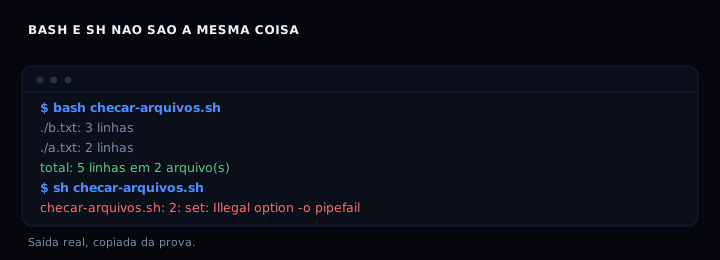
bash checar-arquivos.sh /path/to/folder
Expected output:
./b.txt: 3 lines
./a.txt: 2 lines
total: 5 lines in 2 file(s)
If you run the same file with sh, the bashisms break on the first useful line:
sh checar-arquivos.sh /path/to/folder
checar-arquivos.sh: 2: set: Illegal option -o pipefail
That error is the proof that bash and sh are not the same thing. The fix is to call it with bash or rewrite it without bashisms.
If it goes wrong
bad interpreter: No such file or directory: the file has Windows line endings (CRLF). Convert withsed -i 's/\r$//' checar-arquivos.sh.unbound variable:set -ucaught an undefined variable. Use${VAR:-}to give it a default.command not foundonmapfile: you are on old bash (before 4.0) or on sh. Replacemapfilewith awhile readloop.- Script continues after an error:
set -eis missing, or the error happened inside anifor loop, whereset -edoes not act. Add|| exit 1to the critical command.
Comparison
| Feature | bash | sh (dash) | zsh |
|---|---|---|---|
| Arrays | yes | no | yes |
[[ ]] |
yes | no | yes |
pipefail |
yes | no | yes |
| POSIX mode | optional | native | optional |
| Installed by default | yes | yes | no |
If the script must run on any machine, write it for sh. If it needs arrays, safe quoting, and pipefail, write it for bash and declare that in the shebang. Cron done right shows a case where set -euo pipefail stops a job from continuing after a failure.
FAQ
Is bash a programming language? It is a command language with programming features. It fits automation and orchestration, not applications with interfaces or complex logic.
Do I need to learn bash if I already know Python? Yes, for what Python does poorly: gluing existing programs together, manipulating files, and running system commands. Python is better for logic; bash is better for glue.
Why does my script work in the terminal but fail under cron? Cron runs with a minimal PATH and under sh. Use absolute paths and an explicit shebang. See Cron done right.
Is bash slow? For loops over thousands of files, yes. For calling external programs, bash speed is not the bottleneck.
Can I use bash on Windows?
Yes, through WSL, Git Bash, or MSYS2. The shebang and set -euo pipefail work the same way.
Sources
- GNU Bash Reference Manual, edition 5.3, consulted on 30 October 2026.
- bash(1), Linux man page, consulted on 30 October 2026.