06 Nov 2026 · linux, terminal, zsh · 4 min
zsh autocomplete: what works out of the box and what needs a plugin
Zsh ships native completion via compinit. Autosuggestions, syntax highlighting and extra completions are plugins you clone and load yourself. Load order matters: syntax-highlighting must be last, otherwise colors break.
What zsh does on its own
Zsh needs no plugin to complete commands, paths and options. Just enable compinit in .zshrc:
autoload -Uz compinit && compinit
With that, git che<TAB> lists subcommands and cd /usr/loc<TAB> completes paths. Completion is contextual: it knows each command’s options if the completion file exists, which ships with zsh or with the program’s package. bash also has completion, but zsh’s is richer and needs no extra package.
compinit reads a cache in ~/.zcompdump so it does not reparse everything on every startup. If you installed a new program and Tab does not suggest its options, the cache is stale. Run rm -f ~/.zcompdump && compinit once. On slow disks, use compinit -C to skip the security check and start faster.
Native completion covers most installed programs, but new or obscure ones may lack a completion file. Then Tab suggests nothing or just files. zsh-completions fills that gap with 500+ definitions, with no noticeable runtime cost.
What needs a plugin
Three things people want that do not ship with base zsh:
- Autosuggestion, gray text after the cursor from history: zsh-users/zsh-autosuggestions, MIT license.
- Syntax highlighting, red for nonexistent commands: zsh-users/zsh-syntax-highlighting, BSD-3 license.
- Extra completions for programs without native completion: zsh-users/zsh-completions.
| Feature | Native in zsh | Plugin | Cost |
|---|---|---|---|
| Command and path completion | yes, via compinit | not needed | zero |
| Gray suggestion from history | no | zsh-autosuggestions | one git clone |
| Color on invalid command | no | zsh-syntax-highlighting | one git clone |
| Completion for new program | depends on package | zsh-completions | one git clone |
The artifact
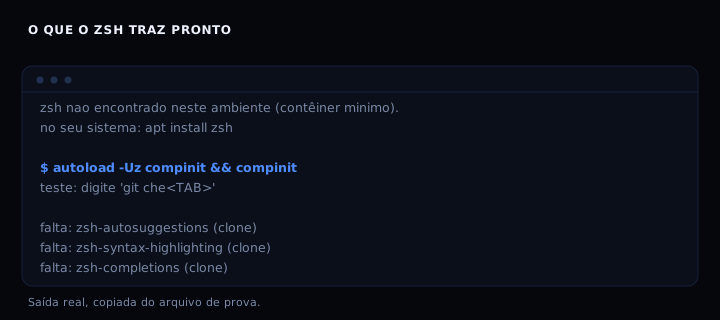
Script that checks for zsh, lists the 3 missing plugins, backs up .zshrc and appends the minimal block. Run on a machine with zsh installed.
#!/usr/bin/env bash
set -euo pipefail

ZSHRC="$HOME/.zshrc"
PLUGIN_DIR="${ZSH_CUSTOM:-$HOME/.oh-my-zsh/custom}/plugins"

echo "== 1. zsh you already have =="
if command -v zsh >/dev/null 2>&1; then
  zsh --version
else
  echo "zsh not found in this environment (minimal container)."
  echo "on your system: apt install zsh  (or brew install zsh)"
fi

echo

echo "== 2. native completion (no plugin) =="
echo "zsh ships compinit. just enable it:"
echo "  autoload -Uz compinit && compinit"
echo "test: type 'git che<TAB>' and see subcommands."

echo

echo "== 3. plugins that need a clone =="
for p in zsh-autosuggestions zsh-syntax-highlighting zsh-completions; do
  if [ -d "$PLUGIN_DIR/$p" ]; then
    echo "ok: $p is in $PLUGIN_DIR/$p"
  else
    echo "missing: $p (clone into $PLUGIN_DIR/$p)"
  fi
done

echo

echo "== 4. writing block into $ZSHRC (backup first) =="
if [ -f "$ZSHRC" ]; then
  cp "$ZSHRC" "$ZSHRC.bak.$(date +%s)"
  echo "backup created"
fi
mkdir -p "$PLUGIN_DIR"
cat >> "$ZSHRC" <<'EOF'

# --- minimal autocomplete ---
autoload -Uz compinit && compinit
# plugins (clone before enabling; see each README)
# source $ZSH_CUSTOM/plugins/zsh-autosuggestions/zsh-autosuggestions.zsh
# source $ZSH_CUSTOM/plugins/zsh-syntax-highlighting/zsh-syntax-highlighting.zsh
EOF
echo "block appended (commented lines: uncomment after cloning)"

echo

echo "== 5. order matters =="
echo "syntax-highlighting must be the last to load; autosuggestions before it."
echo "done."
How to verify
Run the script and check the output: it should show zsh installed, print the compinit command and point out which of the 3 plugins are missing. After cloning the plugins and uncommenting the lines, open a new terminal and type an old command: gray text should appear. Type a nonexistent command: the color should change to red.
If it breaks
- Completion does not appear: compinit was not called or the cache is stale. Run
rm -f ~/.zcompdump && compinitand reopen the terminal. - Syntax highlighting turns off after autosuggestion: the order is reversed. syntax-highlighting must be the last thing loaded.
- Clone fails with permission: the plugin directory does not exist. The script creates it with mkdir -p, but if ZSH_CUSTOM points elsewhere, adjust the variable.
FAQ
Do I need oh-my-zsh for this? No. The plugins work on their own with source in .zshrc. oh-my-zsh is a plugin and theme manager; useful, but not required.
compinit is slow on terminal startup. Normal on slow disks. Run compinit -C to skip the security check, or use zsh-defer to load in the background.
Autosuggestion does not appear for a new command. It only suggests what is in history. Run the command once and it starts appearing.
What is the difference between zsh-autosuggestions and zsh-autocomplete? zsh-autosuggestions shows one gray suggestion from history. zsh-autocomplete opens a completion menu while you type. They are complementary.
Can I use this in bash? Not directly. Bash has ble.sh and bash-completion, but the API differs. See fzf in the terminal for an option that works in both.
How do I accept only part of a suggestion? Any widget that moves the cursor right accepts part of the suggested text. Alt+F accepts one word; Ctrl+F accepts one character at a time. See the plugin documentation.
Figure
Sources: zsh-autosuggestions (MIT), zsh-syntax-highlighting (BSD-3), zsh-completions, completion system. See also a terminal that looks clean.